Adding Inner Tabs in reactnative
Today I will show how to add an inner tab inside the screen using react-native-scrollable-tab-view npm package.
First, create a project
npx react-native init TabProjectand navigate to that project using cd TabProject and install react-native-scrollable-tab-view npm package using
npm i react-native-scrollable-tab-viewnow open the app.js file and copy the below code
import React from 'react';
import {Text} from 'react-native';

import ScrollableTabView, {
  DefaultTabBar,
} from 'react-native-scrollable-tab-view';

export default () => {
  return (
    <ScrollableTabView
      style={{marginTop: 50}}
      initialPage={1}
      renderTabBar={() => <DefaultTabBar />}>
      <Text tabLabel="Tab1">My</Text>
      <Text tabLabel="Tab2">favorite</Text>
      <Text tabLabel="Tab3">project</Text>
    </ScrollableTabView>
  );
};
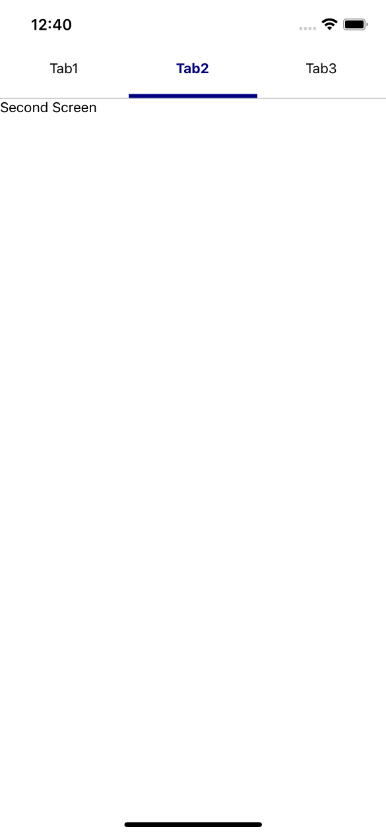
Here, we can make our own component for Tab1, Tab2 and Tab3 as shown in code below.
import React from 'react';
import {Text, View, StyleSheet} from 'react-native';

import ScrollableTabView, {
  DefaultTabBar,
} from 'react-native-scrollable-tab-view';

const Tab1 = () => {
  return (
    <View style={styles.tabContainer}>
      <Text>Tab1</Text>
    </View>
  );
};
const Tab2 = () => {
  return (
    <View style={styles.tabContainer}>
      <Text>Tab2</Text>
    </View>
  );
};

export default () => {
  return (
    <ScrollableTabView
      style={{marginTop: 50}}
      initialPage={1}
      renderTabBar={() => <DefaultTabBar />}>
      <Tab1 tabLabel="Tab1" />
      <Tab2 tabLabel="Tab2" />
    </ScrollableTabView>
  );
};

const styles = StyleSheet.create({
  tabContainer: {
    flex: 1,
    justifyContent: 'center',
    alignItems: 'center',
  },
});
