Walkthrough screens in react-native
In this tutorial we will cover how to make an UI of walkthrough Screen. Below is the UI which we will achieve.
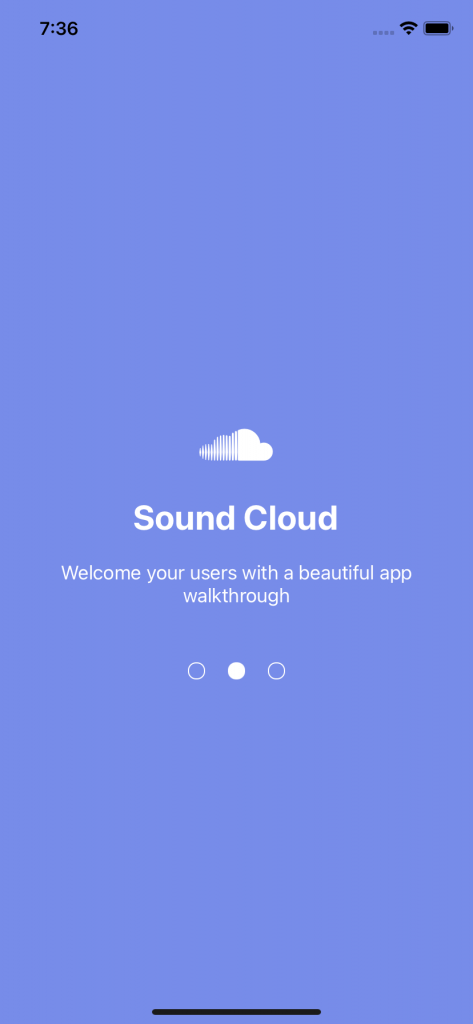
Lets first create a new expo project with expo initProjectName and start the expo server.
expo init walkthroughScreen
cd walkthroughScreen
expo start
Lets install the dependencies
expo install react-native-swiperLet me explain the below code.
import React from "react";
import { View, Text, StyleSheet, Dimensions, Image } from "react-native";
import Swiper from "react-native-swiper";
import Colors from "./Colors";

import { Entypo } from "@expo/vector-icons";
import { FontAwesome } from "@expo/vector-icons";

const { height, width } = Dimensions.get("window");

const walkthrouhhtitleList = [
  {
    id: 1,
    title: "Educate",
    desc: "Showcase features to new users so that they get to love your app",
    icon: <Entypo name="graduation-cap" size={50} color="white" />,
  },

  {
    id: 2,
    title: "Sound Cloud",
    desc: "Welcome your users with a beautiful app walkthrough",
    icon: <FontAwesome name="soundcloud" size={50} color="white" />,
  },

  {
    id: 3,
    title: "Get Notified",
    desc: "Describe the value proposition of each core feature",
    icon: <FontAwesome name="bell-o" size={50} color="white" />,
  },
];
export default function walkthrouhgscreen() {
  return (
    <View>
      <Swiper
        showsButtons={false}
        activeDotColor="white"
        activeDotStyle={{
          width: 15,
          height: 15,
          borderRadius: 7,
          marginRight: 10,
          marginLeft: 10,
        }}
        containerStyle={{ backgroundColor: Colors.backgroundColor }}
        dotStyle={{
          width: 15,
          height: 15,
          borderRadius: 7,
          backgroundColor: "transparent",
          borderColor: "white",
          borderWidth: 1,
          marginRight: 10,
          marginLeft: 10,
        }}
        paginationStyle={{
          position: "absolute",
          left: 0,
          right: 0,
          bottom: height / 3,
        }}
      >
        {walkthrouhhtitleList.map((i) => {
          return (
            <View style={styles.slide1}>
              {i.icon}
              <Text style={styles.text}>{i.title}</Text>
              <Text style={styles.textDesc}>{i.desc}</Text>
            </View>
          );
        })}
      </Swiper>
    </View>
  );
}

const styles = StyleSheet.create({
  wrapper: {},
  slide1: {
    flex: 1,
    justifyContent: "center",
    alignItems: "center",
    backgroundColor: Colors.backgroundColor,
  },
  textDesc: {
    fontSize: 17,
    color: "#ffff",
    paddingHorizontal: 20,
    textAlign: "center",
    // marginTop: 20,
  },
  text: {
    color: "#fff",
    fontSize: 30,
    fontWeight: "bold",
    marginVertical: 20,
  },
});
In the first 6 lines we have imported
line 10-31
we have created a list of array object with id, title, desc and icon
In line 35-62
we have a feature which we want to display while swiping
In line 63-71
We have display the list walkthrough pages, with title, icon and desc
Conclusion
Here, We are displaying a list of the array objects, we can also display components instead of lists as well.
I have attach the github link to the above code.
